


I used to use Linux as my main desktop OS for about a decade, until 2019. I love the idea of keeping the foundations of my day-to-day computing out of the clutches of Microsoft or Apple, who are in my opinion unworthy of that responsibility. Linux is free, open, and built by people who care about users rather than profit. It’s a beautiful dream.
Unfortunately, the reality of using Linux as a desktop OS isn’t always so beautiful. I never had a Linux installation that “just worked”, or even “just more-or-less worked”. It would generally start well, with a fresh installation that ran smoothly and looked great. Then before long, the cracks would start to show. Some bit of the desktop environment would break, or a package would fail to update, or Chrome would suddenly fail to open.
In theory, anything on Linux is fixable, changeable, replaceable. In practice that involves deep, arcane knowledge, often scoured from the Ubuntu forums or inscrutable manpages or some random web page from 2010. You need to either be an expert already, or willing to pour a lot of energy into temporarily becoming one for whatever curveball Linux decides to throw at you that day.
God help you if you want to update to the next version of Ubuntu. The chances of having a totally working system after a major update are zero. Or at least, they were back then. Maybe it’s better now, but I sure as hell wouldn’t bet on it. Each time I installed a more recent version I would think “maybe this time they’ve fixed all the problems from previous versions!” And they indeed had — they just replaced them with exciting new problems.
Once I tried to update my graphics card driver. I’m not sure exactly what went wrong, but it bricked the entire system. Maybe a Linux wizard could have put things right, but as a mere mortal I couldn’t figure out what to do and ended up doing a full system reinstall.
Installing software was… interesting. One of the supposed benefits of Linux is “you can just install stuff via the package manager! It’s easy!” This is in contrast to Windows where you download an installer from a website and go through a GUI install wizard. That never struck me as remotely arduous, but I suppose it could be streamlined.
Being able to install something on Linux by just typing something like sudo apt install coolapp is indeed easy… when it works. But it could also fall into a spectrum of annoying possibilities:
- It works but it gives you an old version. This depends on which version is in the software repository for the distro you’re running. If the repo has an old version, it might be possible to add another repo just for this package that has a newer version. Or it might not.
- It’s not in the repositories for your distro at all. As above, adding a suitable repo with the package you want may or may not be feasible.
- It’s not in any repo, but you can download a
.debor.rpmfile and install it from that. - If your distro is sufficiently mainstream, the package may be available in some form that you can just download and run.
- It’s not available any of those ways, and needs to be built from source. Wherever you get the source code from will have handy step-by-step instructions on how to build the package. They will not work. You will not be able to figure out why.
When I was a student in my 20’s, all of that was fine — it was all just part of the adventure. But in my 30’s with a full-time job, a relationship, a social life, and other hobbies? Not so much. Now I just want my OS to work. So in 2019 I decided to pack it in and switch back to Windows.
By that stage we were at Windows 10, and it was actually pretty decent. Stable, reliable, familiar. Not perfect by any means, but good enough. I wasn’t such a fan of having ads in the Start menu, and I hated that it would install updates and restart my computer without asking me. But I could hold my nose and overlook those things for an operating system that didn’t require me to drop everything once a month to spend a weekend fixing some random bullshit.
Flash forward to late 2025, when Microsoft decided to end support for Windows 10. I’d been dragging my feet on Windows 11 because I’d heard only bad things, and 10 was still working fine, so why change? But not getting security updates for your OS is no position to be in, so I bit the bullet and “upgraded”.
Big mistake.
Straight away everything was slower. Everything. My computer is about six years old, so it’s not exactly the latest and greatest, but there’s no reason for any operating system to be giving it any trouble. But somehow Windows 11 was choking on the most minor UI interactions.
I was able to improve things by upgrading my RAM (at significant expense due to the current AI-induced RAM shortage). Then I started reading about how Microsoft intends to shove AI into every bit of Windows. I’m not exactly anti-AI, but I sure as hell don’t want it integrated into my OS.
Suddenly, Linux is looking a whole lot more appealing.
The first problem you encounter when getting into Linux, or getting back into it, is how to choose a distribution. There are tons to choose from, from the well-known ones like Debian, Ubuntu and Fedora to oddball shit like TempleOS and Hannah Montana Linux. The differences between them and the pros and cons aren’t necessarily obvious.
That’s why I mostly stuck with Ubuntu: it’s well known and widely used, and considered one of the easiest distros to run. Then Canonical (the creators of Ubuntu) started doing stupid things with their desktop environment: replacing the unpretentious and straightforward GNOME 2 interface with an abomination called Unity which felt like it was aimed at tablets rather than desktop PCs. Then they sidelined that and switched the default to GNOME 3, which was equally bad. I left Ubuntu, switched to Linux Mint and stayed on that until 2019 when I gave up on the whole sordid business.
My only real constraint for choosing a distro this time around is that I wanted it to be as trouble-free as possible, and I wanted it to run the KDE Plasma desktop environment. For my money, Plasma runs rings around all the alternatives for its polished UX, taking cues from the good parts of Windows while supporting a lot of customisation.
So I tried a few of the old go-to distros, installing them on a second SSD. In each case I encountered some kind of problem, usually to do with NVIDIA drivers. Nothing was really clicking. Then I happened to come across this article about promising upcoming Linux distros, and discovered something amazing:
Atomic/immutable operating systems
This quote from this article is what really caught my attention:
You see, atomic and immutable (those are not the same things, by the way) are the future of operating systems because they provide an experience that will always work. Atomic distributions basically ensure that no upgrade will result in system failure, a broken desktop, or unusable applications.
A Linux system that never breaks? Shut up and take my money!
The immutable part means that the OS is a read-only image, rather than a bunch of editable files. This means you can’t muck it up, no matter what you do. When you update the system, it replaces that image with a new one that’s been prepared by the maintainers of the distro. And if that new images turns out to be buggy, you can just roll back to the previous one and you’re back to a working system.
This is already how Android and SteamOS work, so it’s not like it’s some kind of totally new concept. But it is somewhat at the frontier of desktop Linux.
There’s also a bit of a learning curve if you’re coming from traditional Linux. You can’t just install packages in the usual way. There are a few different ways to install something, depending on what it is:
- For graphical applications, the standard thing is to install them as Flatpaks or AppImages. These get installed in your home directory (which is still as mutable as always).
- For CLI tools, you can install them via Homebrew or in a container via Toolbox or Distrobox. In containers you can install whatever you want and it’s kept isolated from the rest of the system.
- If you really need a package to be installed system-wide, you can “layer” the changes over the base image. This requires a restart to take effect, and then things function just as if you installed the package normally. The difference is that any layered changes can be stripped away, bringing you back to a clean install (but with all your apps, containers, and data still intact).
The more I learned about this, the more sense it made to me. So I started hunting around for the atomic OS of my dreams.
The quote above was talking about a distro called AerynOS. However promising AerynOS may be, it’s still in alpha, so not something I’m willing to take a chance on right now. Luckily there’s a family of atomic/immutable systems available from one of the biggest players in the Linux game: Fedora’s Atomic Desktops.
I grabbed the KDE version, Fedora Kinoite, and tried installing it. It installed on my SSD and booted up just fine. All was looking good, until I tried installing the proprietary drivers for my NVIDIA card.
Why’s it always got to be graphics drivers that cause trouble?
Finding any kind of reliable advice on how to install NVIDIA drivers on Fedora is an exercise in frustration. First Google’s AI summary told me one thing. Then I found what looked like an official guide, saying something different. It even had some extra info for installing on atomic systems. But then I found threads on Reddit talking about how the official guide was out of date. I tried to make sense of it, with some handholding from ChatGPT, but my attempts resulted in a broken system that could only boot to a command line.
Luckily, thanks to immutability, I was able to run `rpm-ostree reset` to strip away all the changes I’d made and get back to a working system. But I was still no closer to getting the drivers installed.
Then I learned about Universal Blue. They build OS images based on Fedora Atomic with extra enhancements, like pre-configured graphics drivers. Yes please.
I ended up picking a distro called Bazzite. It’s gaming-focussed, so plenty of emphasis on getting graphics and audio to work smoothly, and maximising compatibility with games made for Windows (i.e. the hardest parts of running Linux).
A cool thing about Fedora Atomic systems is, not only can you strip away changes that you’ve layered onto the base, you can also swap out the entire base image without affecting the rest of your installation. So I didn’t need to do a full reinstall — I ran one command, restarted, and I was running Bazzite.
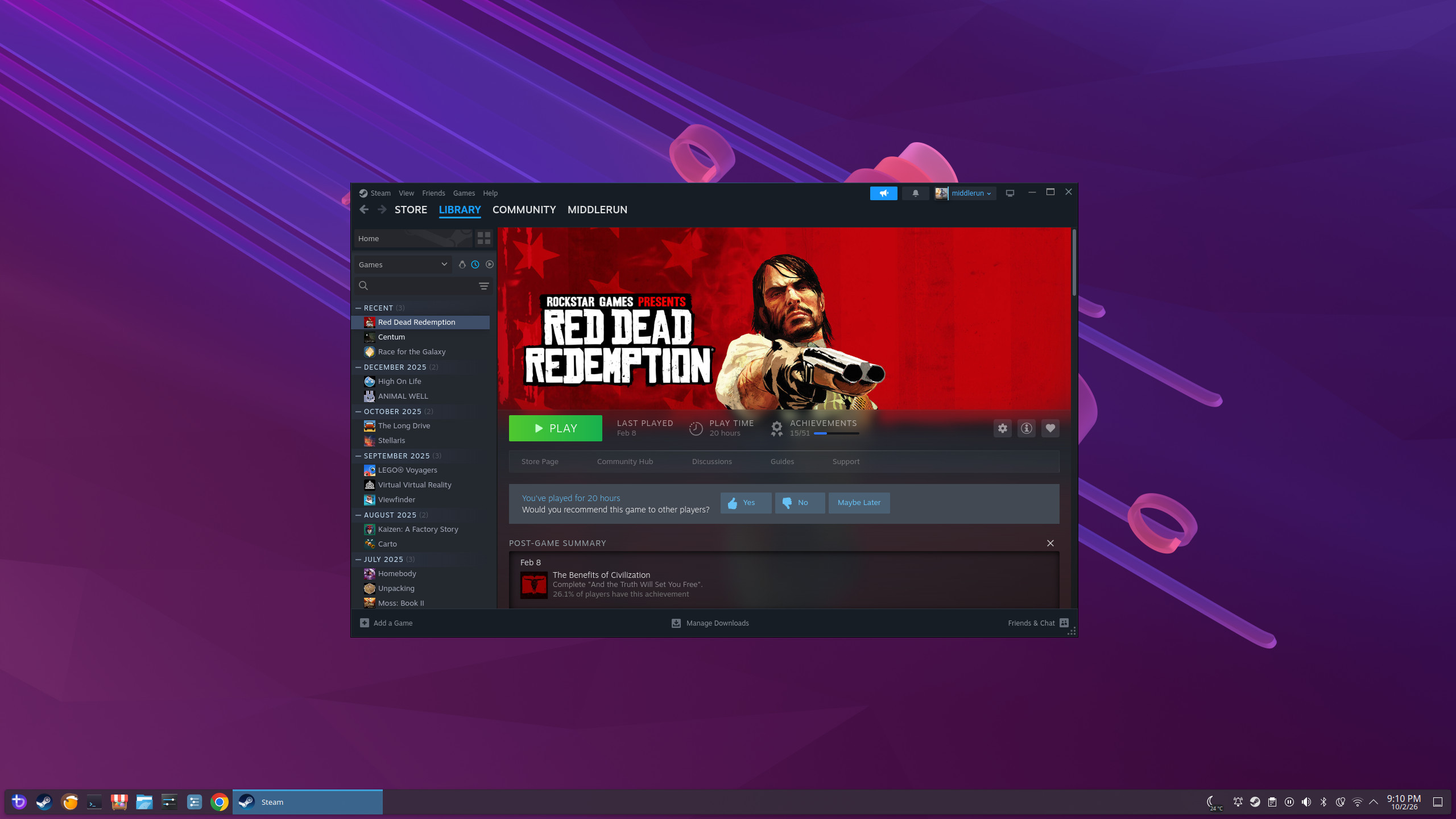
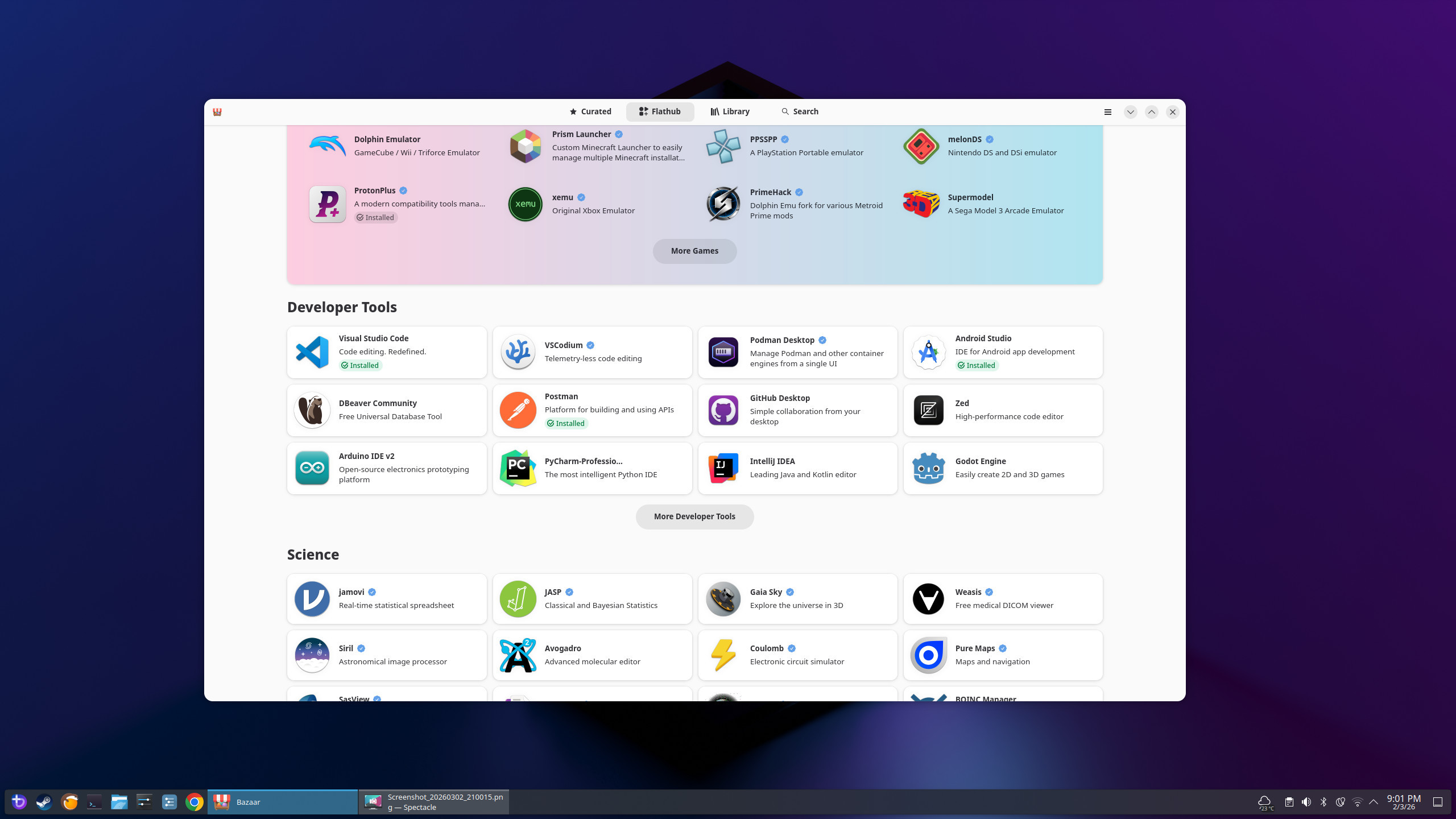
Straight out of the gate, everything worked like a dream. From the Bazaar software store I was able to install Chrome, VS Code, Dropbox, Proton VPN, Postman, and plenty of other goodies. Things that aren’t on Bazaar I can often find as AppImages, such as Cursor, Elegoo Slicer, and WorkFlowy (one of my favourite apps of all time—I’ll probably write a post about it at some point).
The interface is great. KDE Plasma is still the GOAT. It’s stable and performant, with none of the sluggishness of Windows.
I haven’t yet tried many games on Steam, but I can at least report that Red Dead Redemption runs great, as do 1000xRESIST and a very addictive game called Aviassembly. I hear most Steam games run well on Linux these days thanks to Valve’s heroic efforts, so I’m not too concerned there.
It’s not all perfect. Elegoo Slicer crashes when I try to slice a large 3D model (like this cool dice tower). I also haven’t been able to get SteamVR working, or any of the alternatives for PCVR gaming. So I guess I just need to reboot into Windows for those things. Also, there’s currently no Linux client for Proton Drive, though supposedly one is coming… at some point.
As of writing this, I’ve been using Bazzite for a month and a half. In that time, I’ve barely needed to boot into Windows for anything. Once was to copy over my Red Dead Redemption savegame. Another few times were to do 3D modelling in Fusion.
Honestly, the fact that Fusion doesn’t have a Linux version is just about the only real pain point I’ve encountered so far. It is technically possible to run it with Wine, but from what I’ve read it’s not a great experience. I might need to learn OnShape or FreeCAD, which is annoying after I’ve spent a bunch of time learning Fusion.
I’ve had basically no trouble with connectivity or peripherals. Wifi is solid. Both my 3D printer and my regular printer connect with no problems. Bluetooth works great and has high-fidelity codecs like AptX and AAC. I have had times when it used the low-fidelity SBC codec with my earbuds, resulting in bad audio, and I had to disconnect and reconnect the earbuds for AptX to become available. Not sure what happened there, but I was able to fix it, which is more than I can say about Windows when it has Bluetooth troubles.
Reading this, you might be thinking of what I wrote earlier:
It would generally start well, with a fresh installation that ran smoothly and looked great. Then before long, the cracks would start to show.
I am too. It’s possible that cracks will start to show here at some point. But I’m quietly hopeful that the immutable nature of Bazzite will provide some protection from that. I’m not going to have random packages updating at different times, with subtle incompatibilities appearing between them—updates to the core system packages will happen all at once, in pre-packaged and tested updates. With apps being installed as Flatpaks and AppImages, they can be updated without affecting anything else. And command-line tools I’ve installed in containers could mess things up in those containers, but that’s all.
Bazzite might not be perfect, but all in all it’s proving to be a pretty damn good experience. I won’t be deleting Windows any time soon, but I can at least relegate it to being a secondary OS for the few specific tasks that Linux isn’t nailing. And considering how bad the Windows 11 experience is, that’s the absolute most it deserves to be.
It’s long been my opinion that every operating system is shit, and it’s just a question of finding the least-bad option. But after all these years, it feels like I might have found an exception. ◼